
 Español
 Français
Install on Windows
Windows 10 or 11 desktops and laptops.
-
Step 1
Download the app
On your Windows computer, select the button to download Radiosity.
-
Step 2
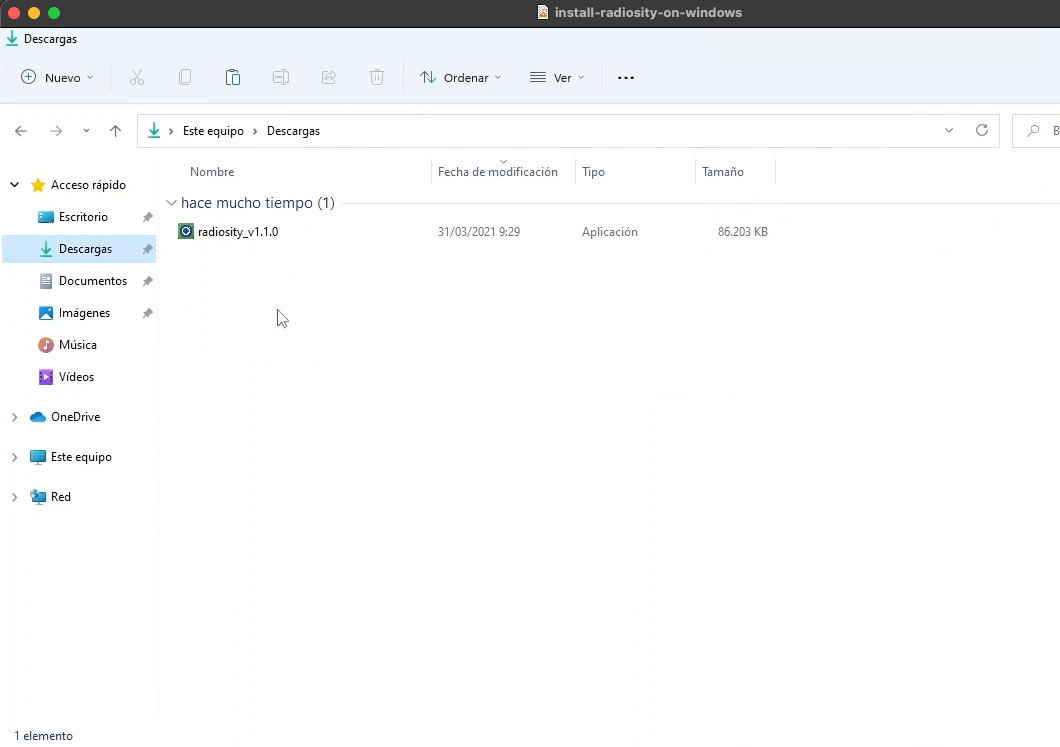
Open the installer
Open File Explorer, go to the Downloads folder and double-click the Radiosity file.
-
Step 3
Finish the installation
Follow the installer (the video shows each step), then link your computer to your account.
Next: Link with your phone and the QR code →
Your device is not listed?
Write to us and we will tell you whether it works and how to install it. Contact us →